Works on your Mac in Safari or Chrome. No Mac app to install, no account, no email.
Android notifications on your Mac, end to end encrypted
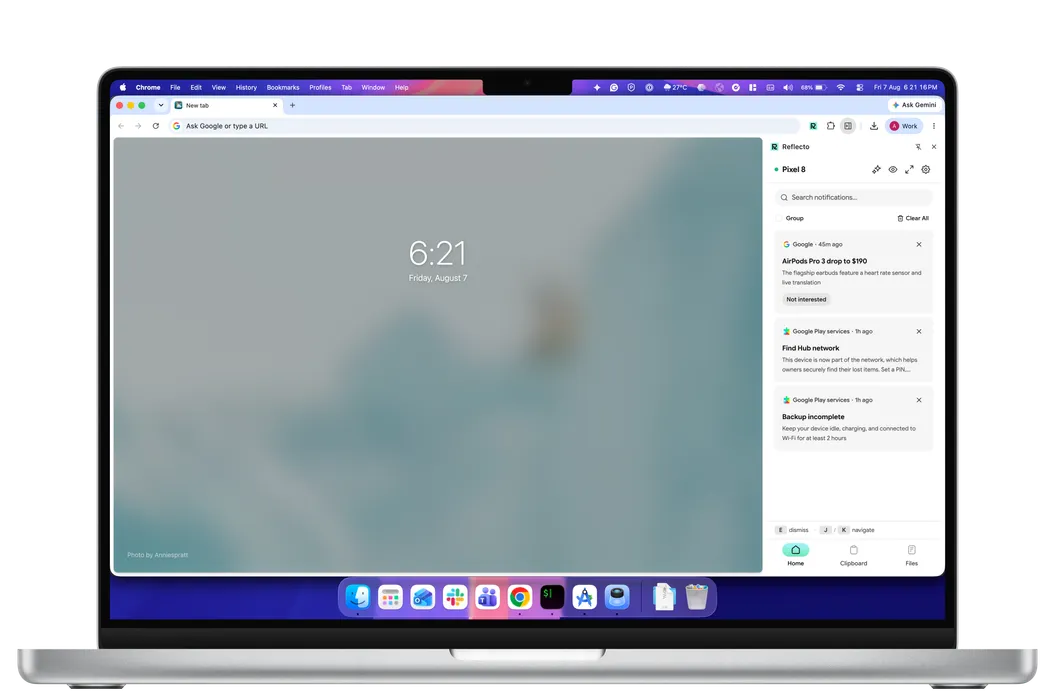
Reflecto brings your Android phone's notifications to your Mac, where you can reply to them and clear them without picking up the phone. Everything is encrypted on your phone and decrypted only on your Mac, so the server routes sealed envelopes it cannot open.
Prefer Safari? Open app.reflecto.dev instead. Last updated August 13, 2026
Quick answer: how to get Android notifications on your Mac
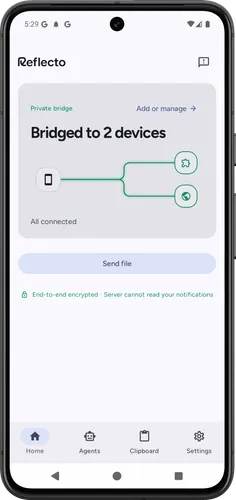
Install Reflecto on your Android phone, open Reflecto on your Mac, and enter one six-digit code. Notifications start arriving straight away. It takes about a minute and there is nothing else to configure.
- On your phone. Install Reflecto from Google Play and grant notification access.
- On your Mac, pick either one. Add the Chrome extension for a side panel that sits beside your work, or open app.reflecto.dev in Safari. Same bridge, same encryption.
- Pair them. Your Mac shows a six-digit code. Type it into your phone. Encryption keys are generated on both devices during pairing and never sent anywhere.
No account. No email address. No password to invent, and none to type into every device.
Can I reply to Android notifications from Mac?
Yes, from the keyboard your hands are already on. Any notification that offers a reply action on your phone offers the same reply field on your Mac.
Here is the part worth understanding. Your reply does not leave our server as text. It travels encrypted to your phone, and your phone sends it, which is why the phone can stay in your pocket and why we never hold anything readable in the middle.
Dismissing works both ways. Clear a notification on the Mac and it clears on the phone. Clear it on the phone and it disappears from your Mac.
Scope, plainly: this is replying from a notification, in apps that offer a reply action. It is not a desktop SMS client and it does not show threaded chat history.
Came here from Windows? There is no Phone Link for Mac, and that page explains what to use instead.
Is this a native Mac app? Which browser do I need?
No, and it is worth being exact about what that means. There is no .dmg, no menu-bar app and no Apple Silicon build. On a Mac, Reflecto is either a Chrome extension that opens in a side panel, or the web app at app.reflecto.dev. Native desktop apps are on the roadmap.
Safari works. Open app.reflecto.dev and pair as normal. Notifications arrive in an ordinary Safari tab on macOS Ventura or later, with no install step to hunt for. You can add it to your Dock if you want it to have its own window and icon, but nothing depends on that. The side panel is the one Chrome-only piece.
We think the browser is the right home for this, and not only because it was easier. The smallest thing that can watch your notifications is a sandboxed browser surface, not a background service with its own launch agent and its own update channel.
Encryption you can check, not just read about
Every product in this category says it respects your privacy. That claim is worth almost nothing on its own, so here is one you can verify yourself in about thirty seconds.
On your Mac, open Settings and expand Verify encryption. You will find a safety number: a 60-digit fingerprint of the encryption keys your two devices share. On your phone, open that computer from your device list and the same number is on its detail screen. Read one against the other.
- Encryption is on by default. There is no setting to find and no switch to remember.
- Keys are generated on each device during pairing and never leave it.
- There is no account, no email and no password, so there is no identity to leak and nothing to reset.
- Everything your devices send each other is a sealed envelope. Not "we promise not to look" — we cannot open it.
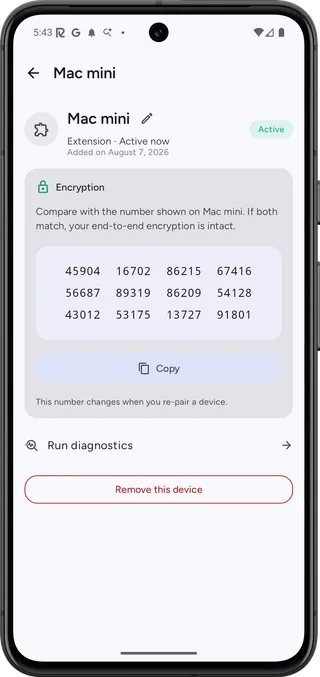
The same twelve groups appear on your Mac. If they match, nothing is sitting in between.
It still works when you are not on the same Wi-Fi
Many tools in this category keep your data private by never leaving the local network. That works, and it costs you reach: a phone on cellular and a Mac on a cafe network are two different networks, and nothing crosses.
Reflecto routes through a server, so distance stops mattering. The reason that is safe is the section above. Your phone encrypts, the server passes along something it cannot read, your Mac decrypts. Different networks, different continents, same guarantee.
If you have used KDE Connect, this is the honest difference. KDE Connect is good software: it runs on macOS, Windows and Linux, it is free, it encrypts device to device, and it is actively developed by its community. Two things differ on a Mac. Its browser integration needs the Plasma desktop, and Reflecto keeps working when your devices are nowhere near each other.
Choose what leaves your phone
Putting your phone's notifications on a laptop screen is a real exposure, and the honest version of this product says so. One-time codes and banking alerts are the obvious case: you may want those to stay in your hand.
The answer is controls, not switching the feature off.
- Per-app filters, set on the phone. Mirror everything except a few apps, or mirror only the apps you choose. New apps follow whichever mode you picked, so your authenticator never leaves the phone unless you say so.
- Privacy mode. One tap collapses everything to a single quiet card per app: the app's name and a count, no content. Useful when someone is standing behind you.
- Glance. An on-device recap of what you missed, which runs on your own machine and sends nothing to any server. Chrome only, since it uses Chrome's built-in model.
The rest of the bridge
Notifications are why most people install it. These come with it.
- Copy here, paste there. Two-way clipboard sync, encrypted like everything else. Nothing writes to your clipboard behind your back — you tap to paste.
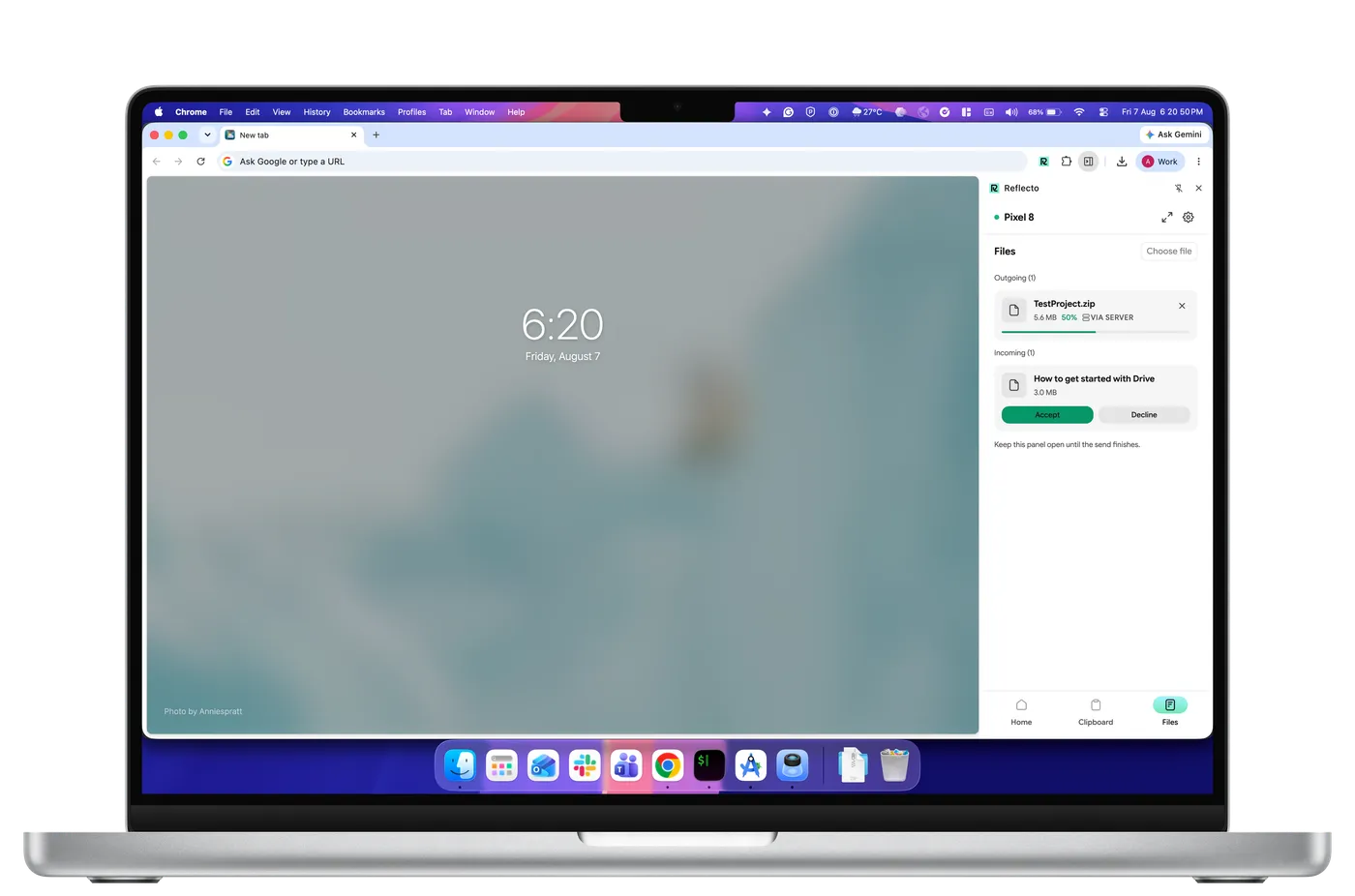
- Send files. Encrypted in chunks before they leave the sending device, and resumable if the connection drops. Direct between the two devices when they can reach each other, relayed as ciphertext when they cannot.
- Your AI agents can reach you. Connect Claude or ChatGPT and an assistant can ping your phone when a job finishes. One honest exception: an assistant holds no keys, so a message it sends is composed on our server and held in memory only long enough to encrypt it to your devices. Mirroring never works that way.
On a Mac, the shortlist is shorter than it looks
Two of the products people are most often pointed at were built around a Windows PC. Microsoft Phone Link is the clean case: Windows only, with no macOS version at all. Here is what each one does.
| Feature | Reflecto | Pushbullet | Phone Link | KDE Connect |
|---|---|---|---|---|
| End-to-end encryption | On by default, per-device keys | Optional, off by default — one shared password typed into every device; covers mirroring, clipboard and SMS only | Not claimed — no published end-to-end encryption statement | Yes, direct device-to-device |
| Desktop platforms | Anywhere Chrome runs | Windows only — no macOS or Linux app | Windows PC only | macOS, Windows, Linux |
| Free tier limits | No message quota | 100 messages/month; 25 MB file transfers | Free | Free |
| Chrome extension | Manifest V3 | Manifest V2 — disabled by Chrome since July 2025 | None | Plasma Integration (needs Plasma desktop) |
| AI agent integration | Claude, ChatGPT, MCP | No official MCP server | No public agent/MCP API (Copilot's phone connection is first-party only) | None official |
| Active development | Shipping continuously | Extension 2023 · blog 2022 · API docs 2020 | Yes | Active (community) |
What Reflecto is not
An early no saves you a download.
- Not a native Mac app. A Chrome extension, or the web app.
- No Safari or Firefox extension. In Safari, Reflecto is the web app rather than a side panel. Firefox is not tested yet.
- No screen mirroring, and no remote control of your phone.
- No USB file browsing, and not a phone-as-webcam tool.
- Not a desktop SMS or messaging client. Replying happens from a notification, in apps that offer a reply action.
- The phone has to be an Android phone. iOS does not allow third-party apps to read notifications, so it is not supported.
Comparing this against advice you read years ago? We went through what the old Android-on-Mac guides get wrong, including the options that are not us.
Mac questions
Is there a Mac app I can download?
No. There is no .dmg and no menu-bar app. On a Mac, Reflecto is either a Chrome extension that opens in a side panel, or the web app at app.reflecto.dev. Native desktop apps are on the roadmap.
Does it work in Safari?
Yes. Open app.reflecto.dev in Safari and pair as normal. Notifications arrive in an ordinary tab on macOS Ventura or later, with no install step. Adding it to your Dock is optional and only gives it its own window and icon. The side-panel extension is Chrome-only.
Can I reply to Android notifications from my Mac?
Yes, in any app that offers a reply action on the notification. Your reply travels encrypted to your phone and your phone sends it, so the phone can stay in your pocket. It is not a desktop SMS client and does not show chat history.
Do my Mac and my phone have to be on the same Wi-Fi?
No. Reflecto works over the internet, so your phone can be on cellular while your Mac is on a cafe network. The server routes sealed envelopes it cannot open, so being apart costs you nothing in privacy.
Will mirroring put my 2FA codes on my laptop screen?
Only if you let it. Per-app filters on the phone let you mirror everything except the apps you choose, or only the apps you choose, so your authenticator never leaves the phone. Privacy mode collapses the panel to app names and counts with no content shown.
Why not KDE Connect?
KDE Connect is good software: it runs on macOS, Windows and Linux, it is free, it encrypts device to device, and it is actively developed by its community. Two things differ on a Mac. Its browser integration needs the Plasma desktop, and Reflecto works over the internet, so your devices do not need to be near each other.
Can I use an iPhone instead?
No. iOS does not allow third-party apps to read notifications, so the phone has to be an Android phone. The computer can be a Mac, a PC or a Chromebook.
Keep your phone in your pocket
Reflecto is live and free today. Add the extension, pair your phone, and the bridge does the rest.