Agents
Your agent can knock. It cannot snoop.
Reflecto is a bridge between your Android phone and your computer — notifications, clipboard, files, encrypted end to end between your own devices. Connect Claude or ChatGPT and it can knock: ask a question you answer with a tap, say when a job lands, put a file in your Downloads.
It cannot snoop, structurally: no tool returns your notifications, your clipboard or your files. What an assistant sends is composed by our server; what your own devices exchange, we cannot read. One app, one pairing, no account.
request_approval "Deploy v2.4.0 to production?" What it can do
Six things, and they are all the same shape
Your assistant asks Reflecto to do something; Reflecto does it on the phone you already paired. Every one of these is a tool it can call today — no extra app, no second device to set up.
Ask you before doing anything irreversible
request_approval · check_reply
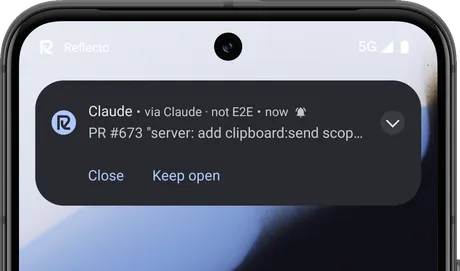
Human in the loop, without the loop being a terminal you have to sit at. Your assistant stops and asks; the question arrives on your phone with its answers, and it waits. This one is working through a backlog of stale pull requests and has reached one it will not close on its own.
Tell you when the long thing finishes
send_notification
Builds, migrations, overnight jobs. The notification lands on your phone the moment it does, whether or not the tab is still open.
send_notification "Test suite green — 1,204 passed" Put a file on your phone
send_file
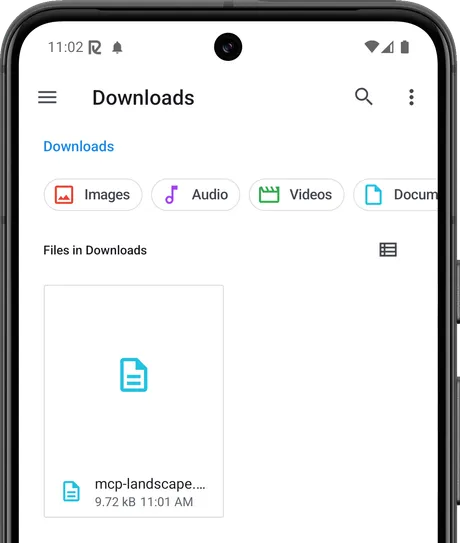
A summary, a config, a draft. It saves into Downloads instead of arriving as a wall of text you have to copy by hand.
Reach you later, on the device you actually carry
remind_me · cancel_reminder
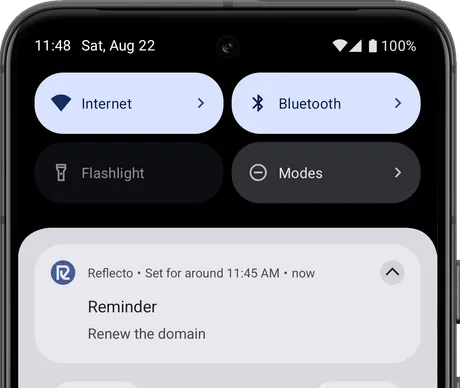
Scheduled on the phone itself. It fires whether or not the conversation is still open, and it survives a restart.
Ring your phone when you have lost it
find_my_phone
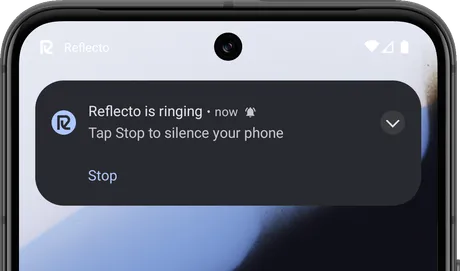
At full volume, even on silent. The obvious thing to want from a computer that already has a private channel to your pocket.
Check what is reachable before it sends
list_devices
Which of your devices are awake, and when each was last seen. Names and status only — never what is on them.
list_devices What it cannot do
The list is short and it is the point
- It cannot read your notifications. There is no tool that returns their content — never content, only the ability to send you new ones.
- It cannot read your clipboard or your files. The one file-system action it has writes a document into Downloads; nothing reads back.
- It cannot see your messages or your history. Connecting an assistant gives it no view of anything already on your devices.
- It cannot act without your phone. Every tool ends at a device you hold, and the two that matter most wait for you to answer.
One thing you should know, stated plainly
When an assistant sends you something, our server composes that message before encrypting it to your devices — so for that moment it can read it. The plaintext is held in memory and never written down; what waits in the delivery queue is the encrypted copy.
Notifications mirrored from your own phone work differently: those are encrypted end to end, and the server only relays sealed envelopes it has no key for. Both paths are real; they are not the same, and we are not going to tell you they are.
Reflecto is closed source, so none of that is worth much as an assertion. The mechanisms are published instead — the wire format and key exchange, and a threat model that states what someone holding our server would and would not get.
Setting it up
One URL, whichever assistant you use
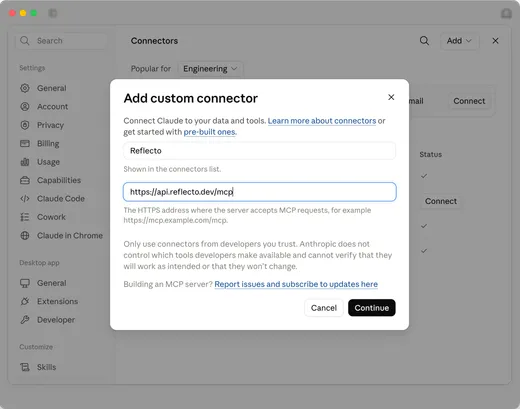
There is no per-client configuration and nothing to generate. Paste this where your assistant asks for a custom connector:
https://api.reflecto.dev/mcp In Claude Code, one command:
claude mcp add --transport http reflecto https://api.reflecto.dev/mcp Claude ChatGPT Claude Code any MCP client
Point it at the URL
Name it whatever you like. That is the whole of the configuration.
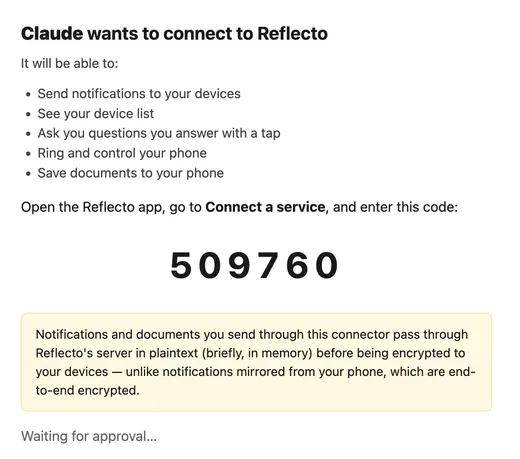
Approve it on your phone
It tells you what the assistant will be able to do before anything is connected, and asks for a six-digit code from the app.
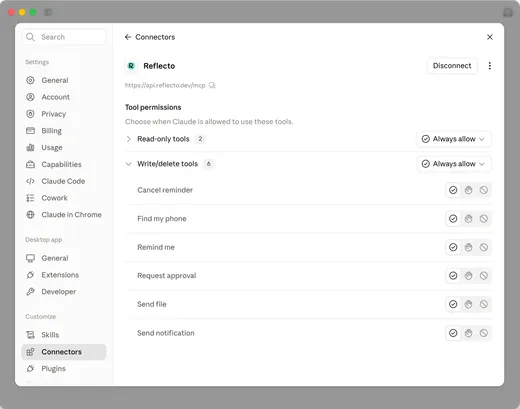
Keep control of every tool
Allow, ask or block each one, whenever you like. The tools that only read are grouped apart from the ones that act.
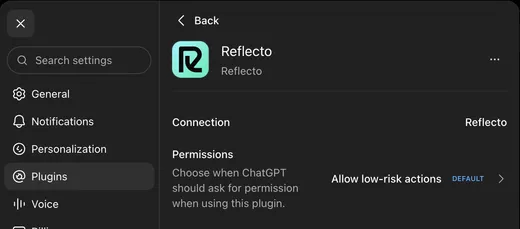
Same in ChatGPT
Same URL, same tools. Each assistant has its own way of adding a connector — this is what it looks like once it is done.
Before you connect anything
Is Reflecto open source?
No. The clients and server are closed source. Instead of asking you to take the security model on trust, we publish the mechanisms: the wire format, the key exchange, what each side holds, and a threat model that states plainly what an attacker holding our server would and would not get. Both are linked from this page, and the encryption is built on libsodium and TweetNaCl rather than anything we invented.
Can an assistant read my notifications?
No, and that is structural rather than a setting. No tool returns notification content. Your notifications are encrypted on your phone and decrypted only on devices you have paired, so the server relays them without being able to open them — there is nothing for a connector to read even if it asked. What an assistant can do is send you something, ask you a question, and ring your phone.
Is what an assistant sends me end-to-end encrypted?
No, and the difference is worth stating plainly rather than blurring. This is the server-as-sender exception: when an assistant sends you something, our server composes that message and briefly holds it in memory to encrypt it to each of your devices, so at that moment we could in principle see it. The plaintext is held in memory and never written down; what waits in the delivery queue is the encrypted copy. Your mirrored notifications work differently — those are encrypted before they leave your phone, and we never hold the plaintext at all.
What does the approval flow actually do?
The assistant asks a question with up to four answers. Your phone shows it as a high-priority notification you can answer from the lock screen, and the assistant waits for your response. What travels back is the number of the choice you picked, so the record of it holds no text.
Which assistants can I connect?
Anything that speaks MCP and lets you add a connector by URL, which includes Claude and ChatGPT. You authorize it once from your phone, using a six-digit code rather than an API key you paste somewhere. Approving it grants the whole set above — send, ask, remind, ring, save a file, list devices — rather than a per-capability choice, and your phone can revoke it at any time from the Agents tab, under Connected services.
Do I need a computer for this?
No. If you only want an assistant to reach your phone, you can set that up from the Android app on its own — the pairing screen has a path that skips the computer entirely. You can pair a computer later if you also want your notifications mirrored.
What can a connector reach besides my phone?
Nothing. A connector is scoped to a short list of actions — send, ask, remind, ring, save a file, and see which of your devices are online. It cannot read your accounts, your files, or your location; the one write it has puts a document into your Downloads folder and reads nothing back.
Give your assistant a way to reach you
Reflecto is live and free today. Install the app, connect your assistant, and the next thing it needs you for arrives on your phone.